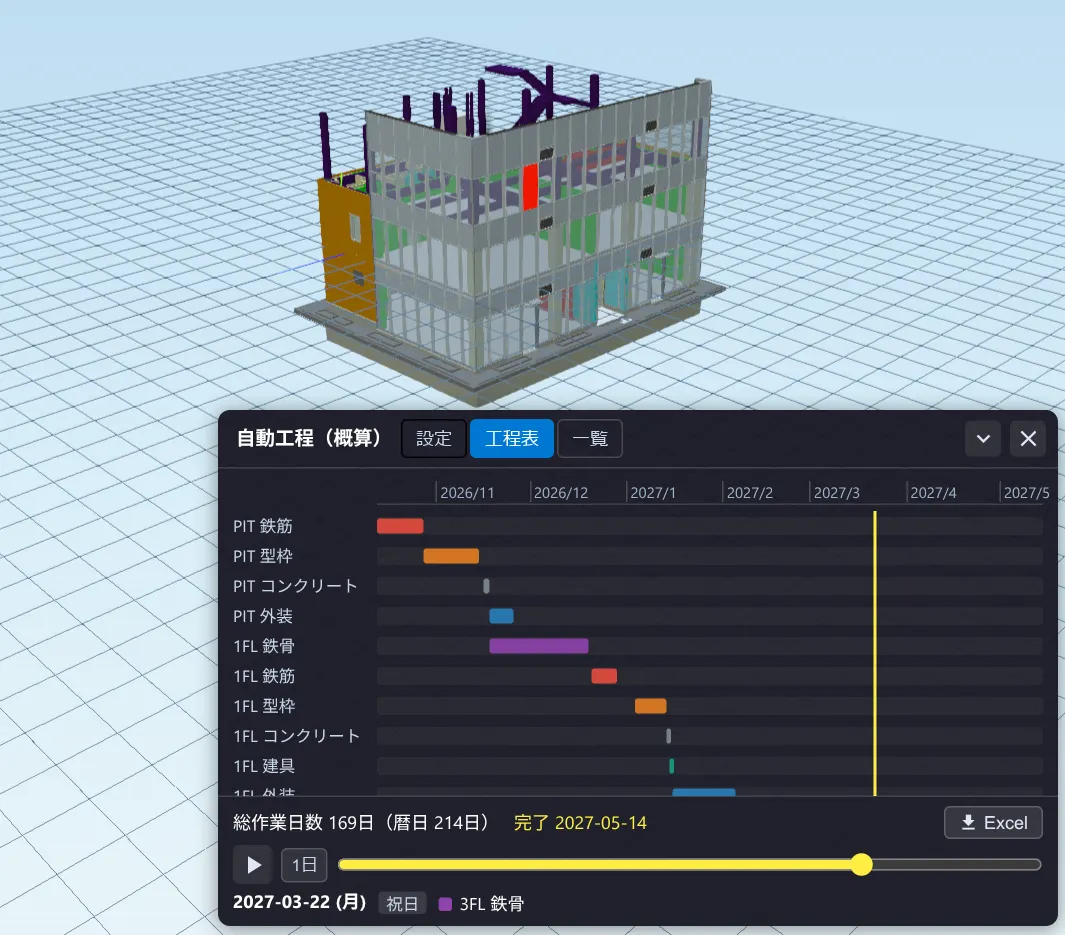
Auto schedule (NEW)
Automatically build a floor × trade schedule (steel, rebar, formwork, concrete, doors/windows, exterior, interior) from IFC and replay construction progress in 3D with a date slider. Adjust productivity, crews and holidays; export a Gantt chart to Excel. Free.
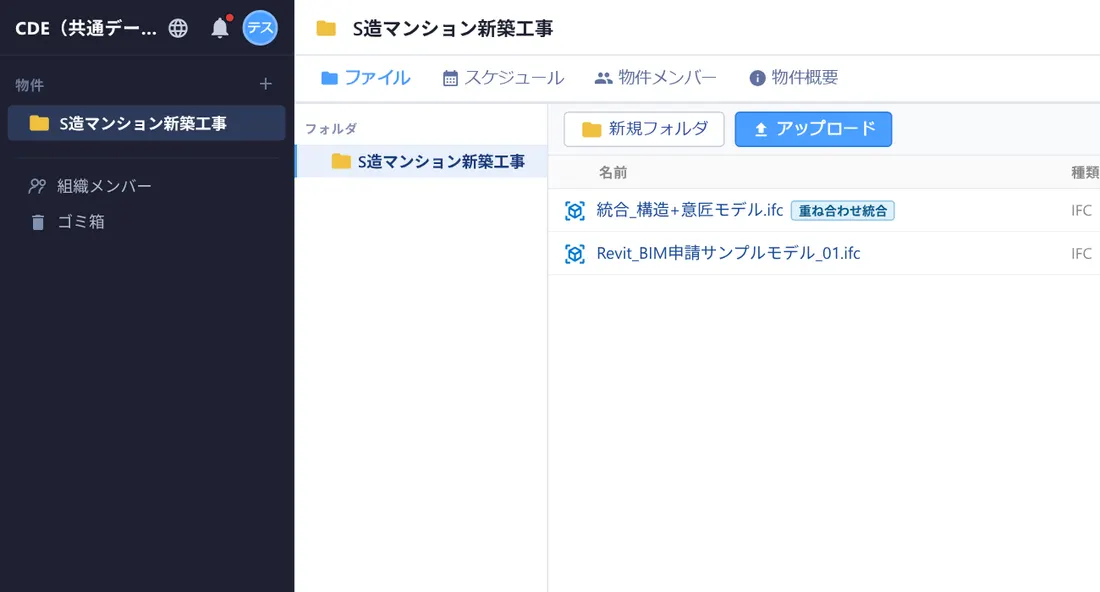
Free CDE (Common Data Environment)
Manage folders and store files in the cloud. Share design data securely with your organization and project members — free to start.
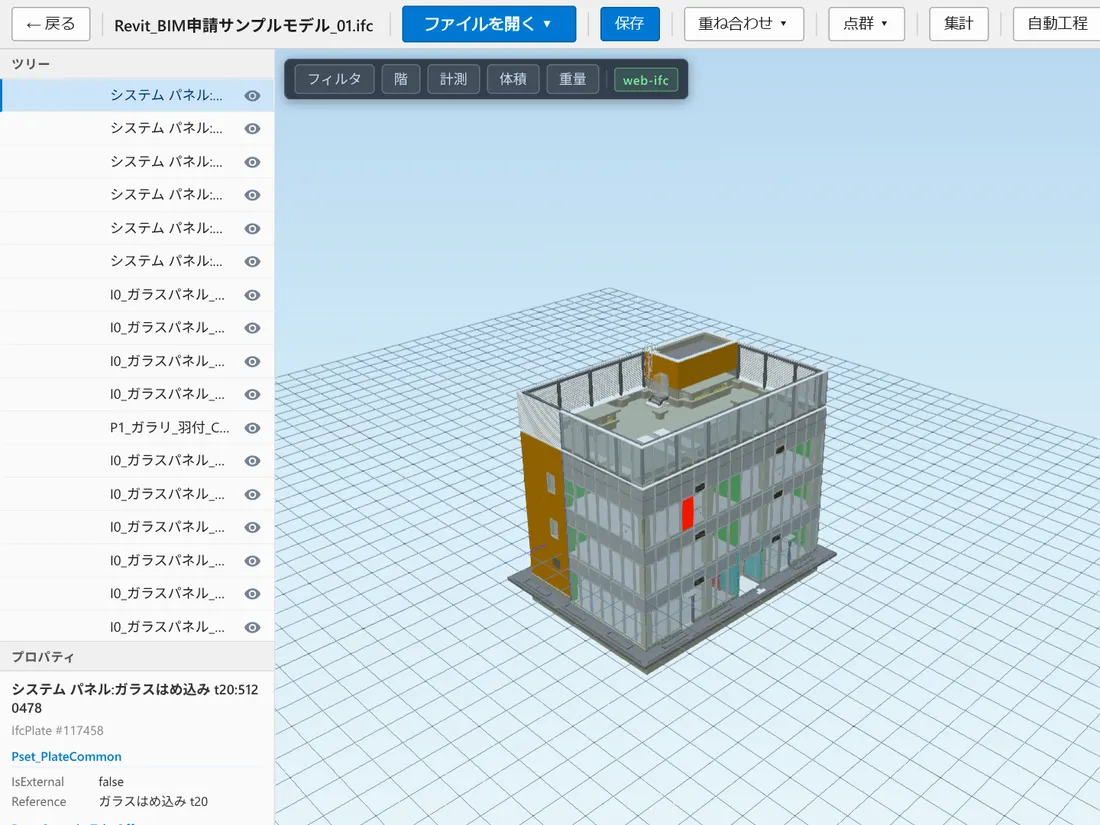
IFC viewer (in-browser)
A free IFC viewer: open IFC files in the browser for 3D display, section cuts, floor filters and element properties. Processed in-browser via WebAssembly.
Revit (RVT) & Navisworks
Revit .rvt and Navisworks .nwd files convert in the cloud for 3D display. Share and view models even with people who don’t own Revit.
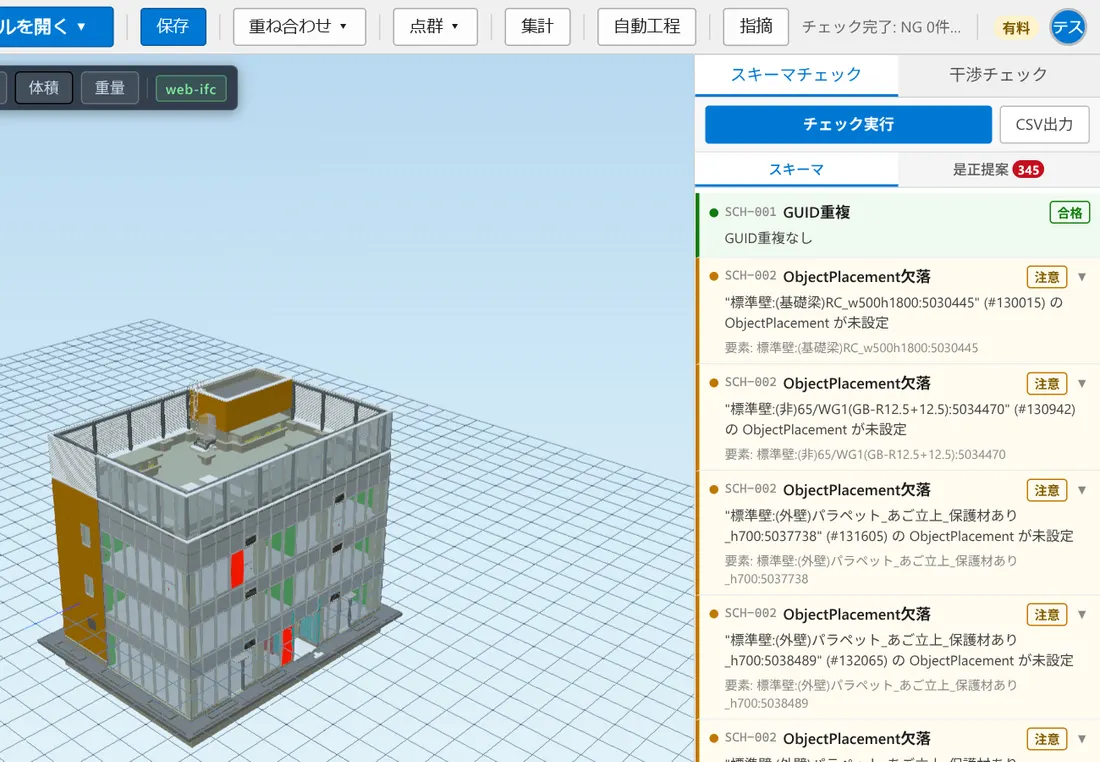
Clash & schema checks
Detect overlapping elements and run IFC schema checks. Export results to CSV for design-data quality control.
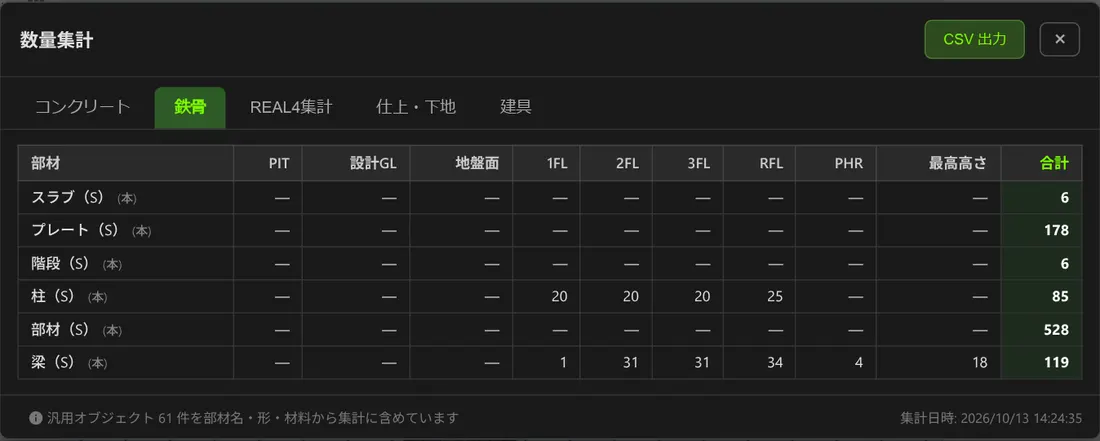
Point-cloud overlay & quantities
Overlay point clouds with IFC/BIM models and take off concrete volume, steel counts, finish areas and door/window counts.
Cloud storage
1GB free, 60GB on the paid plan. Store IFC, RVT, PDF and images, and view or share from any browser.
Project management
Organize folders per project, record project info (construction code, address, client, design and construction company), invite members with view/edit permissions, track issues, and restore from trash.
Team schedule management
Create a shared calendar for each project to track meetings, inspections and deadlines with your team. Switch between month, week, day and list views, and drag events to reschedule or resize them instantly.
File preview (PDF, Word, Excel)
Preview PDFs, images, Word (.docx) and Excel (.xlsx/.xls) right in the browser. Rendered without external services, so files open even when an online viewer is blocked on a corporate network.